
October 16, 2026
Latest PostHotel Front Desk Software: Features Every Modern Hotel Needs
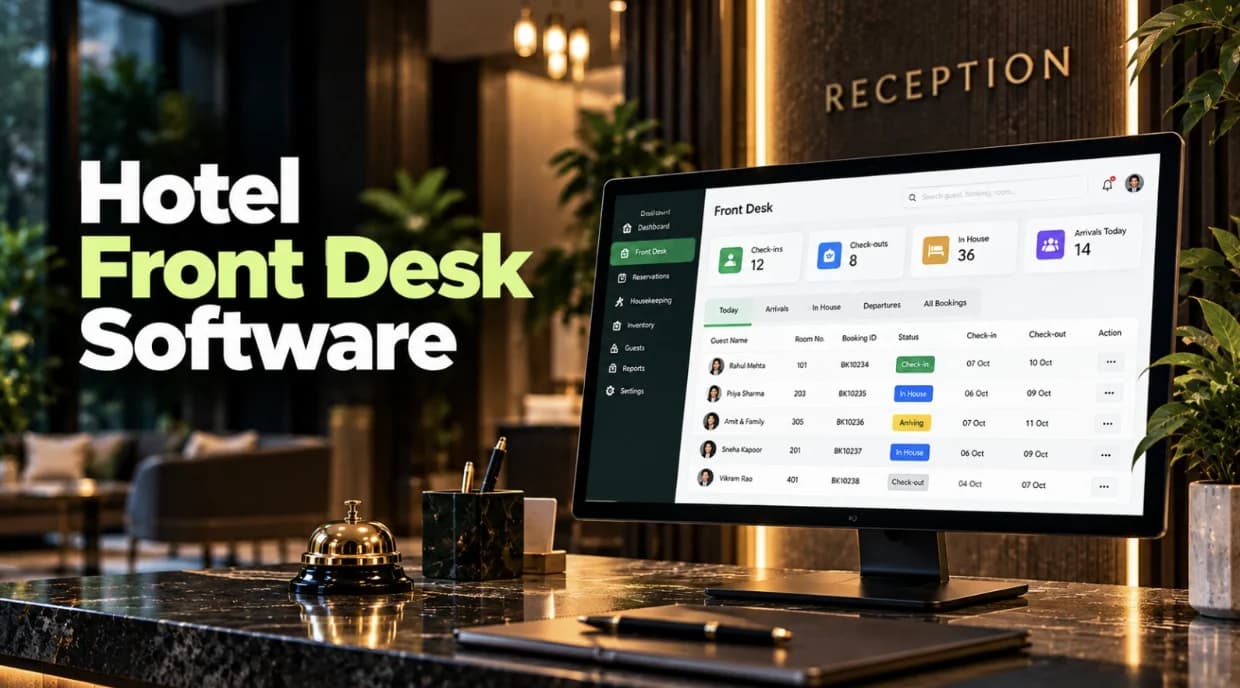
A hotel front desk manages more than guest arrivals and departures. Staff handle reservations, room assignments, guest information, billing and last-minute changes throughout the day. When these tasks rely on separate registers or disconnected tools, keeping information accurate and coordinating operations can become difficult.
Hotel front desk software helps bring these activities into one organised workflow. But what features should hotels look for when choosing a system? The answer depends on how well the software handles everyday front-office tasks, from reservation management to the final guest settlement.
7 Essential Hotel Front Desk Software Features
1. Reservation and Availability Management
Front desk teams need a clear view of bookings, room availability and reservation changes. Hotel front office software should help staff create and update reservations, manage arrivals and departures, and handle individual, corporate, travel-agent and group bookings. Keeping this information connected helps teams coordinate room inventory more effectively.
2. Faster Check-In and Check-Out
Hotel check-in software should make it easy for staff to locate a reservation, confirm guest details, assign a room and complete registration. At check-out, the team needs access to the guest's charges and payment information to settle the bill.
A connected workflow helps reduce unnecessary steps and repeated data entry, especially during busy arrival and departure periods.
3. Room Allocation and Status Tracking
Room availability alone does not tell the front desk whether a room is ready for an arriving guest. A hotel front desk management system should provide visibility into room statuses, such as available, occupied, ready, dirty, blocked or out of order, where supported.
This information helps staff make informed room assignments and coordinate with housekeeping when room readiness changes.
4. Guest Profiles and Stay History
Hotel guest management software should keep relevant guest details, reservation history, stay information and billing records accessible to authorised staff.
Having this information in one place helps the front desk understand the guest's current booking and previous stays without searching through multiple records. Appropriate access controls are also important when handling personal guest information.
5. Billing and Guest Folio Management
Billing errors can create confusion at check-out. Hotel reception software should connect room charges, applicable taxes, advances, service charges and payments with the guest's stay.
A guest folio gives staff a consolidated view of the transactions associated with a stay, making it easier to review charges and complete settlement accurately.
6. Group Booking Management
Hotels handling corporate stays, weddings, tours and events may need to coordinate multiple rooms and guests under a single group arrangement.
Look for software that connects group reservations with room allocations, guest details and relevant billing requirements. This helps the front desk manage complex bookings without treating every room as an unrelated reservation.
7. Mobile Access and Night Audit
Hotel operations continue beyond the reception counter. Responsive access across supported devices allows authorised staff and managers to review important operational information while moving around the property.
Night audit capabilities are also worth evaluating. Reviewing occupancy, revenue, arrivals, departures, transactions and outstanding balances helps the team close the business day with greater clarity.
How to Choose the Right Hotel Front Office Software
Before selecting a hotel front desk software, consider your property's size, booking patterns, team structure and daily operational challenges. Ask the provider to demonstrate actual workflows rather than relying only on a feature list.
Check how easily staff can create a reservation, assign a room, complete check-in, post charges and settle a bill. Also consider usability, staff training, reporting requirements, mobile accessibility and the availability of support.
The right system should fit your hotel's working processes and help staff access consistent information without adding unnecessary complexity.
How IMPACT PMS Supports Front Desk Operations
IMPACT PMS brings reservations, guest profiles, room allocation, billing and front-office activities into one connected system. Its front office module supports individual and group bookings, check-in and check-out workflows, guest history, room status visibility and guest folio management.
The platform also provides authorised access to operational information across supported devices and includes night audit reporting for areas such as occupancy, revenue, arrivals, departures and transactions.
For hotels looking to organise front desk activities within a broader property management system, IMPACT PMS connects front office operations with other hotel departments on one platform.
Explore the IMPACT PMS Front Office module to understand its features and how they fit your hotel's needs.
Frequently Asked Questions
1. What is hotel front desk software?
Hotel front desk software helps staff manage reservations, guest information, room allocation, check-in, check-out and billing. Depending on the system, it may also support group bookings, room status tracking and night audit.
2. What features should a hotel front desk management system include?
Essential features include reservation management, check-in and check-out, room allocation, guest profiles, billing, group bookings and reporting. Hotels should prioritise the capabilities that address their actual operational needs.